Dell
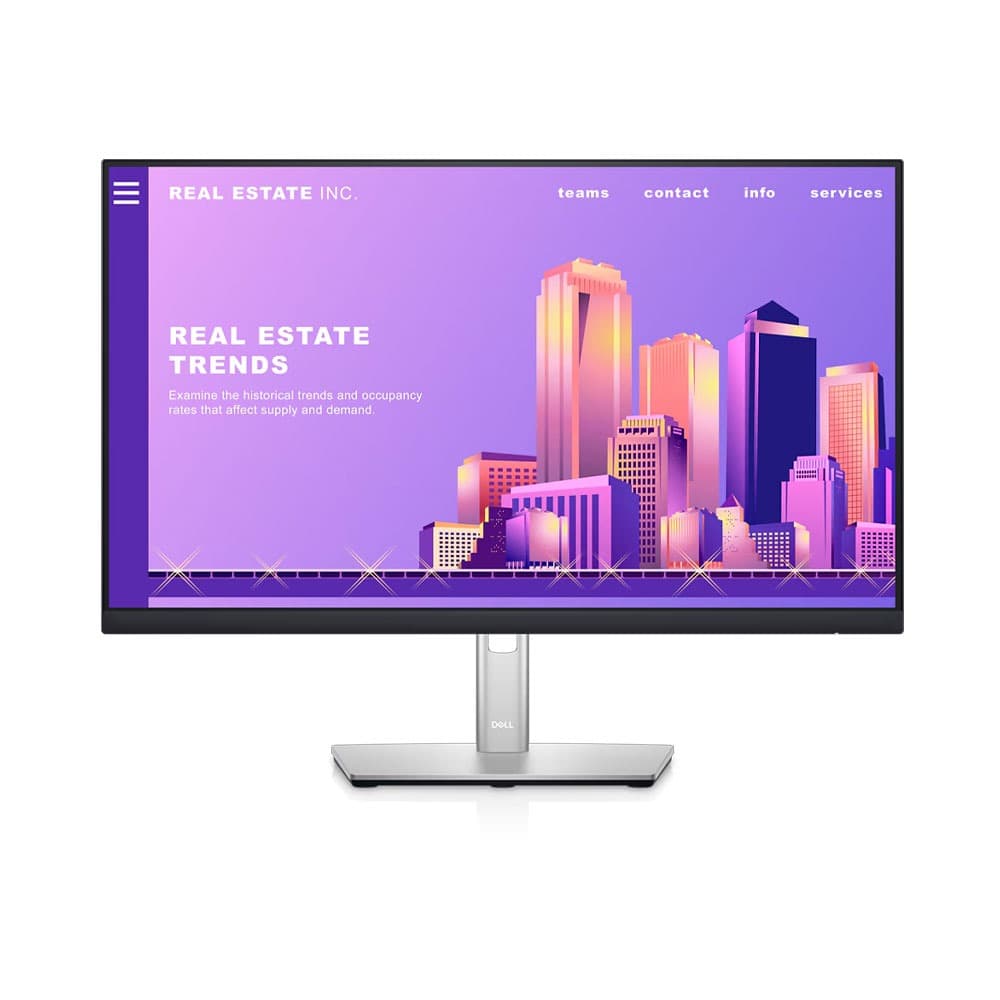
Dell 24 LED Monitor FHD 60Hz - P2422H
Dell
Dell 24 LED Monitor FHD 60Hz - P2422H
7,499 EGP
Installments from
553
EGP
per month up to
24
Month
Product description
- Dell 24 LED Monitor FHD 60Hz - P2422H
- This product is sold by 2B
- <div class="pd-feature-wrap ImageTop ">
- <div class="pd-feature-item" data-feature-key="p-series-family-video">
- <div class="pd-content-wrap"> </div>
- </div>
- </div>
- <div class="pd-feature-wrap ImageTop ">
- <div class="pd-feature-item" data-feature-key="dell-p2422h-monitor-f1-view">
- <div class="pd-media-container">
- <div class="pd-item-image-wrap "><img class="u-max-full-width" style="display: block; margin-left: auto; margin-right: auto;" src="https://i.dell.com/is/image/DellContent/content/dam/ss2/product-images/dell-client-products/peripherals/monitors/p-series/p2422h/responsive/110603_p2422h_responsive_module_01.jpg?fmt=jpg&wid=965&hei=391" alt="A better view from anywhere"></div>
- </div>
- </div>
- </div>
- <p class="pd-bottom-title">A better view from anywhere</p>
- <p><strong>Comfort without sacrificing color:</strong> Optimize eye comfort with ComfortView Plus, an always-on, built-in screen that reduces potentially harmful blue light emissions while delivering excellent color accuracy.<br><br><strong>Color consistency comes standard:</strong> See consistent, vibrant colors across a wide viewing angle enabled by In-Plane Switching (IPS) technology. With 99% sRGB coverage, you get precise color right out of the box.<br><br><strong>Sleek, stylish and organized:</strong> Hide cords in the monitor riser to keep things organized. This sleek monitor has a three-sided ultrathin bezel, small base and an improved, easy-to-use cable management system.<br><br><strong>Comfort is key:</strong> Tilt, swivel, pivot and adjust the height of your monitor (150mm height adjustment range) for extra comfort during work.<br><br><strong>Designed with you in mind:</strong> Snap on the Dell Slim Soundbar (SB521A) and elevate your listening experience.</p>
- <p class="pd-bottom-title">Connect to productivity</p>
- <p><strong>Extensive connectivity:</strong> Easily connect to a variety of devices with extensive connectivity ports, including DisplayPort, HDMI, VGA and 4x SuperSpeed USB 5Gbps.<br><br><strong>Quick-access ports:</strong> Easily share and deliver content via quick-access ports conveniently placed at the front of the display.<br><br><strong>Easy navigation:</strong> Navigate the menu and adjust screen settings with the easy-to-use joystick control.<br><br><strong>Expand your efficiency:</strong> The three-sided ultrathin bezel design lets you enjoy an uninterrupted view of your content across multiple monitors. Furthermore, you can boost your productivity by up to 21% with a dual monitor setup.</p>
- <div class="pd-feature-wrap TextRightImageLeft ">
- <div class="pd-feature-item" data-feature-key="dell-p2422h-monitor-f3-display">
- <div class="pd-media-container">
- <div class="pd-item-image-wrap "><img class="u-max-full-width" style="display: block; margin-left: auto; margin-right: auto;" src="https://i.dell.com/is/image/DellContent/content/dam/ss2/product-images/dell-client-products/peripherals/monitors/p-series/p2422h/responsive/110603_p2422h_responsive_module_03.jpg?fmt=jpg&wid=390&hei=390" alt="Dell Display Manager"></div>
- </div>
- </div>
- </div>
- <p class="pd-bottom-title">Dell Display Manager</p>
- <p><strong>Productive at every level:</strong> Easy Arrange allows you to easily tile multiple applications across one or more screens with 38 pre-set window partitions and the ability to personalize up to five windows, giving you improved multitasking abilities.<br><br><strong>Seamless transitions:</strong> The auto-restore feature remembers where you left off, so applications will go back to where you left them, even after you’ve unplugged.<br><br><strong>The key to convenience:</strong> Shortcut keys can save you even more time, letting you easily configure your display management settings so you can get to work faster.<br><br><strong>More ways to manage:</strong> Asset management reports allow IT managers to quickly capture and track monitor information as well as configure multiple monitors at once through a single setup.<br><br></p>
- <div class="pd-feature-wrap TextLeftImageRight ">
- <div class="pd-feature-item" data-feature-key="dell-p2422h-monitor-f4-green">
- <div class="pd-media-container">
- <div class="pd-item-image-wrap "><img class="u-max-full-width" style="display: block; margin-left: auto; margin-right: auto;" src="https://i.dell.com/is/image/DellContent/content/dam/ss2/product-images/dell-client-products/peripherals/monitors/p-series/p2422h/responsive/110603_p2422h_responsive_module_04.jpg?qlt=95&fit=constrain%2c1&hei=390&wid=390&fmt=jpg" alt="Green thinking for today and tomorrow"></div>
- </div>
- </div>
- </div>
- <p class="pd-bottom-title"><strong>Green thinking for today and tomorrow</strong></p>
- <p><strong>Environmental standards:</strong> This monitor meets the latest regulatory and environmental standards such as EnergyStar<sup>®</sup>, EPEAT<sup>®</sup> Gold and TCO Certified Edge.<br><br><strong>Eco-conscious packaging:</strong> To reduce our manufacturing impact on the environment, this monitor is sh
