Lenovo
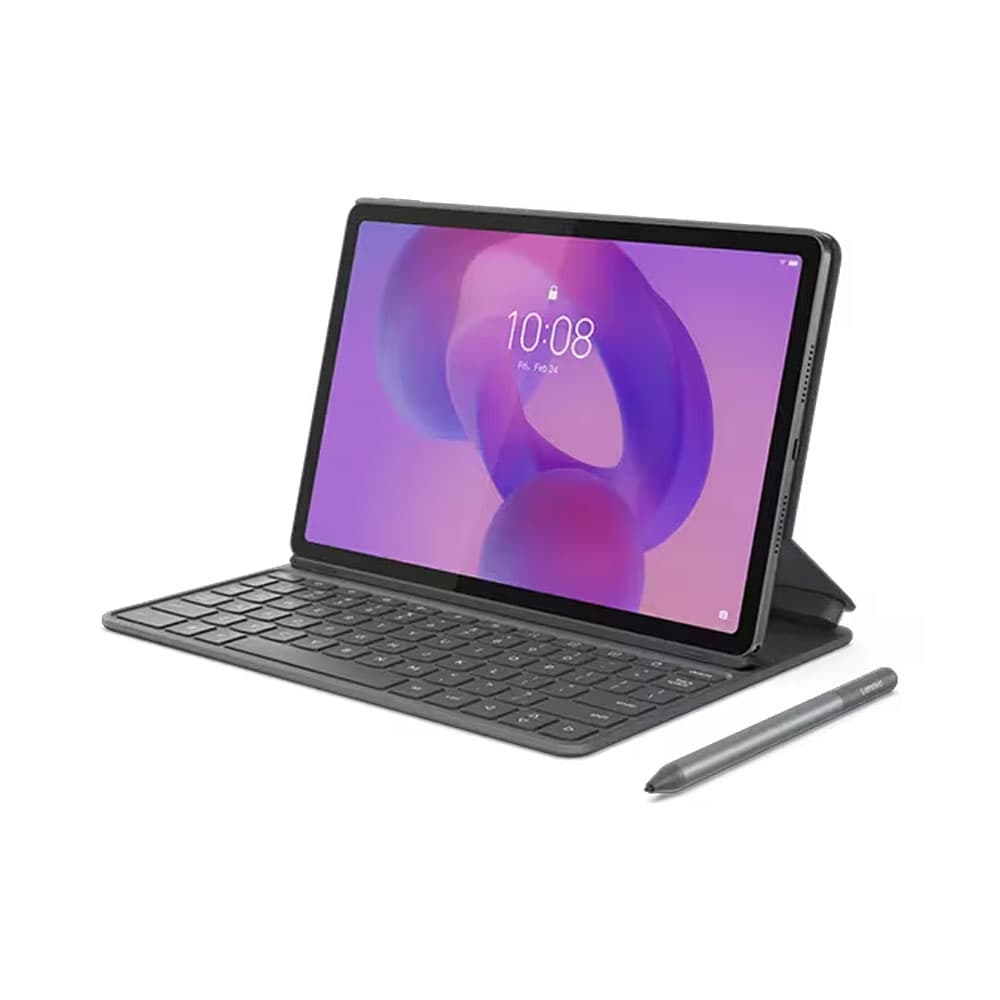
Lenovo Idea Tab - 8GB RAM - 128GB - keyboard + Pen - WiFi - Luna Grey
Lenovo
Lenovo Idea Tab - 8GB RAM - 128GB - keyboard + Pen - WiFi - Luna Grey
17,099 EGP
Installments from
1260
EGP
per month up to
24
Month
Product description
- Lenovo Idea Tab - 8GB RAM - 128GB - keyboard + Pen - WiFi - Luna Grey
- This product is sold by 2B
- <div class="feature-blade blade_2 mediaClass feature-align-center">
- <div class="feature-gallery content-top feature-gallery-pc">
- <div class="blade-media image"><img style="display: block; margin-left: auto; margin-right: auto;" src="https://p4-ofp.static.pub//fes/cms/2025/04/10/l42dlo0qaa4xbon00n0ypx50v5f5sk458402.jpg" alt="The Lenovo Idea Tab tablet and optional digital pen represent the Circle to Search feature, with a corresponding icon in the background.">
- <p class="media_caption_wrapper"><strong>Pen available on select models</strong></p>
- </div>
- <div class="content-wrapper content-wrapperNA-Lenovo-Idea-Tab-feature-01">
- <div class="gallery-content">
- <div class="subHeadline">
- <p>Circle It. Search It</p>
- </div>
- <div class="description">
- <p>Discover a streamlined method for tablet searching with Circle to Search with Google. Simply long press the home button and draw a circle on what you want to search using your finger or with the Lenovo Tab Pen.</p>
- </div>
- </div>
- </div>
- </div>
- </div>
- <div class="feature-blade blade_2 mediaClass feature-align-center">
- <div class="feature-gallery content-top feature-gallery-pc">
- <div class="blade-media image">
- <p class="media_caption_wrapper"><strong>Pen available on select models</strong></p>
- </div>
- <div class="content-wrapper content-wrapperNA-Lenovo-Idea-Tab-feature-02">
- <div class="gallery-content">
- <div class="subHeadline">
- <p>Translate Without Switching Apps</p>
- </div>
- <div class="description">
- <p>Say goodbye to screenshots and switching apps. Now, when you see words in another language on your tablet, you can use Circle to Search to get help instantly. Whether it’s an image, video, or text, just long press the home button or navigation bar and tap the translate button to see instant translations, then get right back to what you’re doing.</p>
- </div>
- </div>
- </div>
- </div>
- </div>
- <div class="feature-blade blade_5 mediaClass feature-align-center">
- <div id="NA-Lenovo-Idea-Tab-feature-03" class="swiper swiper-initialized swiper-horizontal swiper-backface-hidden">
- <div class="swiper-wrapper">
- <div id="51963" class="swiper-slide feature-gallery fake-slide content-left" data-swiper-slide-index="6">
- <div class="swiperBlade">
- <div class="blade-media image mediaClass"><img style="display: block; margin-left: auto; margin-right: auto;" src="https://p1-ofp.static.pub//fes/cms/2025/04/10/4lg02d3pe7j7z9thf3ji5s827rqmn2488450.jpg" alt="The Lenovo Idea Tab tablet mounted on an optional keyboard case with an optional pen illustrating AI writing tools.">
- <div class="media_caption_wrapper">
- <p>Keyboard and pen available on select models</p>
- </div>
- </div>
- <div class="content-wrapper content-wrapperNA-Lenovo-Idea-Tab-feature-03">
- <div class="gallery-content">
- <div class="headline">
- <p>Keep Your Ideas Flowing</p>
- </div>
- <div class="description">
- <p>Whether prepping for finals, writing an essay, or jotting down ideas, Lenovo AI Note, a vibrant function of the Notepad app, helps you stay organized, save time, and stay ahead.</p>
- </div>
- </div>
- </div>
- </div>
- </div>
- <div id="51964" class="swiper-slide feature-gallery fake-slide content-left" data-swiper-slide-index="7">
- <div class="swiperBlade">
- <div class="blade-media image mediaClass"><img style="display: block; margin-left: auto; margin-right: auto;" src="https://p2-ofp.static.pub//fes/cms/2025/04/10/r6uz9gkyi9s9end4d0npg0mhs8a7xf210707.jpg" alt="Angle view of the Lenovo Idea Tab tablet and optional digital pen illustrating note-taking features with a colored ribbon and two blue spheres in the foreground.">
- <div class="media_caption_wrapper">
- <p>Pen available on select models</p>
- </div>
- </div>
- </div>
- </div>
- <div id="51963" class="swiper-slide swiper-slide-active feature-gallery content-left" data-swiper-slide-index="0">
- <div class="swiperBlade">
- <div class="blade-media image mediaClass">
- <div class="media_caption_wrapper">
- <p>Keyboard and pen available on select models</p>
- </div>
- </div>
- <div class="content-wrapper content-wrapperNA-Lenovo-Idea-Tab-feature-03">
- <div class="gallery-content">
- <div class="headline">
- <p>Keep Your Ideas Flowing</p>
- </div>
- <div class="description">
- <p>Whether prepping for finals, writing an essay, or jotting down ideas, Lenovo AI Note, a vibrant function of the Notepad app, helps you stay organized, save time, and stay ahead.</p>
- </div>
- </div>
- </div>
- </div>
- </div>
- <div id="51963" class="swiper-slide feature-gallery fake-slide content-left" data-swiper-slide-index="3">
- <div class="swiperBlade">
- <div class="blade-media image mediaClass">
- <div class="media_caption_wrapper">
- <p>Keyboard and pen available on select models</p>
- </div>
- </div>
- <div class="content-wrapper content-wrapperNA-Lenovo-Idea-Tab-feature-03">
- <div class="gallery-content">
- <div class="headline">
- <p>Keep Your Ideas Flowing</p>
- </div>
- <div class="description">
- <p>Whether prepping for finals, writing an essay, or jotting down ideas, Lenovo AI Note, a vibrant
